
Find Clothes From a Photo: Crop First, Treat Results as Leads
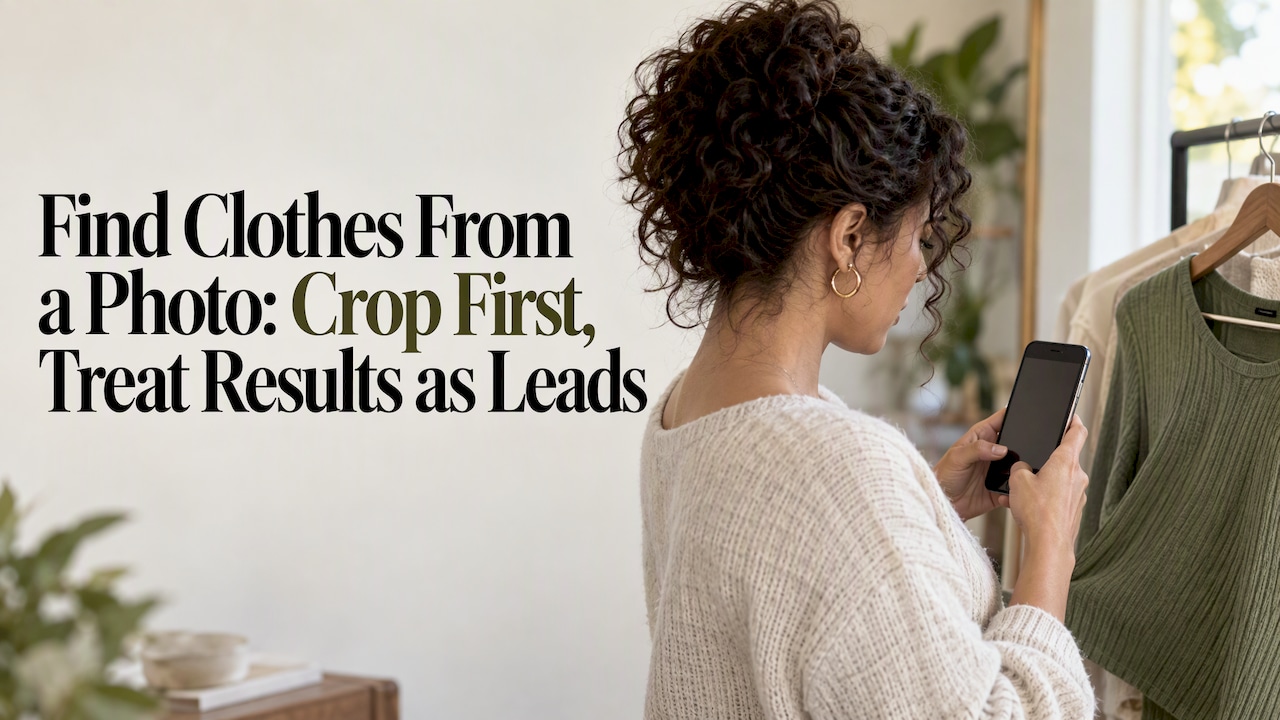
To find clothes from a photo, crop the item down to its sharpest frame, run a visual search through Google Lens or a fashion assistant app, then add two or three descriptive words to tighten the results. Treat what comes back as ranked candidates rather than confirmed matches: check the product page, size chart, and seller before you buy.
TL;DR:
- For full outfits, fashion apps can return separate product links, prices, and reviews for each item; Lens or Chrome suits a single clear garment.
- Street style images with clutter, odd poses, or blocked garments return weaker matches than clean catalog photos; patterned dresses fare better than plain shirts.
- For a rare or discontinued piece, search marketplaces by brand and era when image results fail, because current retailers may not carry it.
- Google Visual Search History is off by default, but you can review account settings and change them if you do not want search photos saved.
Table of Contents
- Step-by-step workflow to turn a photo into buyable results
- How to use Google Lens, Chrome, and fashion apps
- Tips for difficult images: screenshots, low resolution, and outfits
- What fashion image retrieval research says about getting better matches
- Realistic expectations for AI-powered clothing search
- How Style To Cart keeps your matches organized after the search
- FAQ
- Sources
Step-by-step workflow to turn a photo into buyable results
Before you open any app, decide what you actually want. Are you hunting for the exact jacket in the photo, open to a close alternative, or just gathering ideas for an outfit? That choice shapes how much time you spend refining the search.
- Pick your goal first. An exact match search needs more cropping and text refinement than a “just give me something similar” search.
- Crop the hero garment. Remove the background, other people, and competing items so the search tool has one clear subject.
- Run the image search and add text. Upload or select the crop in your tool of choice, then type a short phrase like “black leather jacket” or “wide-leg cream trousers” to narrow what comes back.
- Repeat per item for full outfits. Each garment in a photo deserves its own crop and its own search; compare the ranked results by availability, price, and size rather than by looks alone.
A clean query makes the biggest difference in result quality. Google’s own search help confirms that uploading an image, selecting the object, and adding descriptive text are the core steps behind a useful Lens search, and that apparel is one of the object types Lens is built to recognize.
For multi-item outfits, newer tools can split the work for you. Google’s rollout of AI-powered visual search describes a “fan-out” approach where a single photo gets broken into separate searches for each object, each returning its own set of product links, prices, and reviews. That matters if you are trying to recreate a full look rather than one piece.
Pro Tip: Before you search, ask yourself what you’d type into a search bar if you had no photo at all. Those two or three words are exactly what you should pair with your crop.
A good query comes down to three things: a clean crop, one focal item per search, and two or three descriptor words. Skip any of those and you’ll get a flood of loosely related results instead of real candidates.
How to use Google Lens, Chrome, and fashion apps
Different tools fit different situations. Knowing which one to reach for saves time and gets you closer to a purchasable result on the first try.
On mobile, open the Google app or your camera’s Lens shortcut, snap or upload the photo, then drag the selection box around the garment before adding text like “floral midi dress.” On desktop Chrome, right-click any image on a webpage and choose “Search image with Google Lens,” or upload a screenshot directly into Lens from your files. Chrome’s own help documentation walks through this exact flow on Android, including the option to type keywords alongside the image to refine results.
Fashion assistant apps earn their place when a photo has more than one item to sort through, when you want a virtual try-on before committing, or when you’d rather save candidates to a wishlist than hunt through browser tabs. Browser-based Lens searches tend to be faster for a single, obvious item.
- Lens and Chrome excel at quick, single-item lookups from catalog-style photos.
- Fashion apps are better suited to outfit breakdowns, try-on previews, and saved comparisons.
- Shopping results from either route typically surface price, reviews, and purchase links, which is what actually lets you compare candidates instead of just admiring them.
- Street-style and candid photos return fewer exact matches than clean product shots.
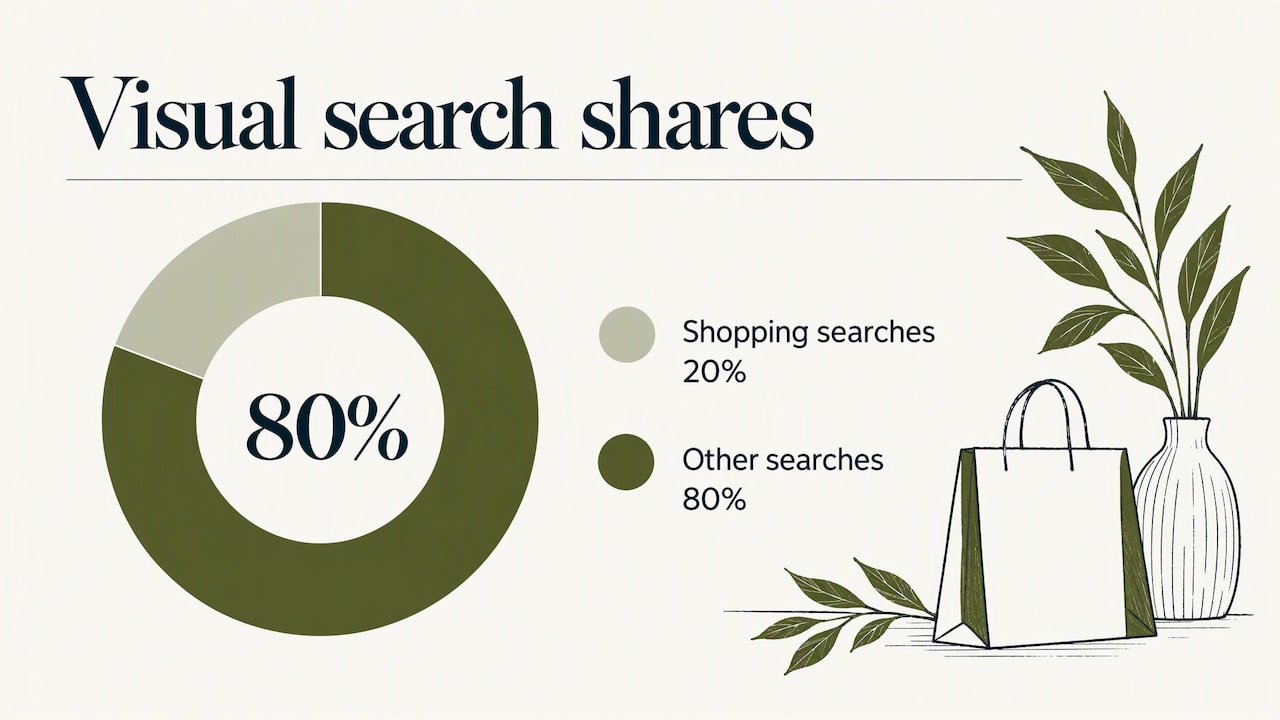
Lens now handles close to 20 billion visual searches per month, with about a fifth of those tied to shopping. That volume is a sign of how normal visual search has become for everyday purchase decisions, not a guarantee that every search returns an exact hit.
Tips for difficult images: screenshots, low resolution, and outfits
A blurry screenshot or a photo with four garments crammed into frame will trip up almost any visual search tool. A few adjustments usually rescue the result.
- Crop tightly around one distinctive detail, like a collar shape, a hem length, or visible hardware, when the full garment isn’t clearly visible.
- Add short text tweaks such as color, pattern, or silhouette to steer results when the crop alone isn’t specific enough.
- Search each item in a full outfit separately rather than hoping one search will untangle a layered look.
- Accept close alternatives for vintage or limited-release pieces, since exact matches may not exist in current retailer inventory.
Pro Tip: When a photo is too degraded or the piece is clearly discontinued, a quick marketplace search by brand and era often beats another round of image search.
What fashion image retrieval research says about getting better matches
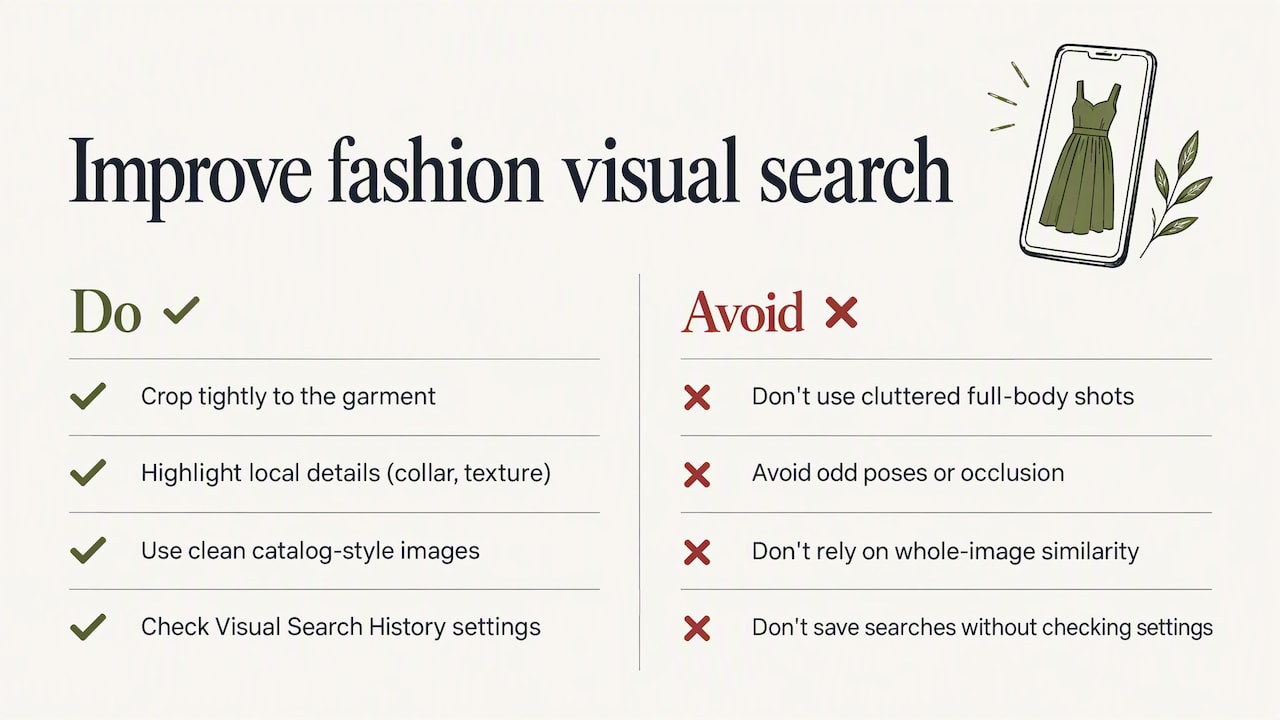
Visual search tools don’t treat your photo as one undivided image. Research on fashion retrieval shows systems analyze local patches, collar shape, texture, hardware, rather than scoring overall visual similarity, which is exactly why a tight crop beats a cluttered full-body shot.
Fine-grained local details matter more than whole-image similarity in fashion retrieval, which is why systems analyze garment regions and attributes rather than the photo as a whole.
Research on fine-grained fashion retrieval backs this up, and separate benchmarking work on real-world retrieval found that street-style photos with clutter, odd poses, or occlusion return noticeably weaker matches than clean catalog images. Performance also varies by garment type: a patterned dress tends to retrieve better than a plain T-shirt.
On privacy, Visual Search History is off by default on Google accounts, and you can review or adjust settings to avoid saving the photos you use for a search.
Realistic expectations for AI-powered clothing search
Visual search shines when you’re chasing a current retailer item, an accessory, or a single clean garment shot. It struggles with rare vintage pieces, heavily layered looks, and anything shot in poor light. Before buying anything a search surfaces, check the size chart and return policy on the actual retailer page, since a visual match is a candidate, not a confirmed fit.
— Wendy
How Style To Cart keeps your matches organized after the search
Finding a candidate is only half the job. Once a visual search turns up a few promising options, we help you keep them from disappearing into scattered screenshots and forgotten tabs.
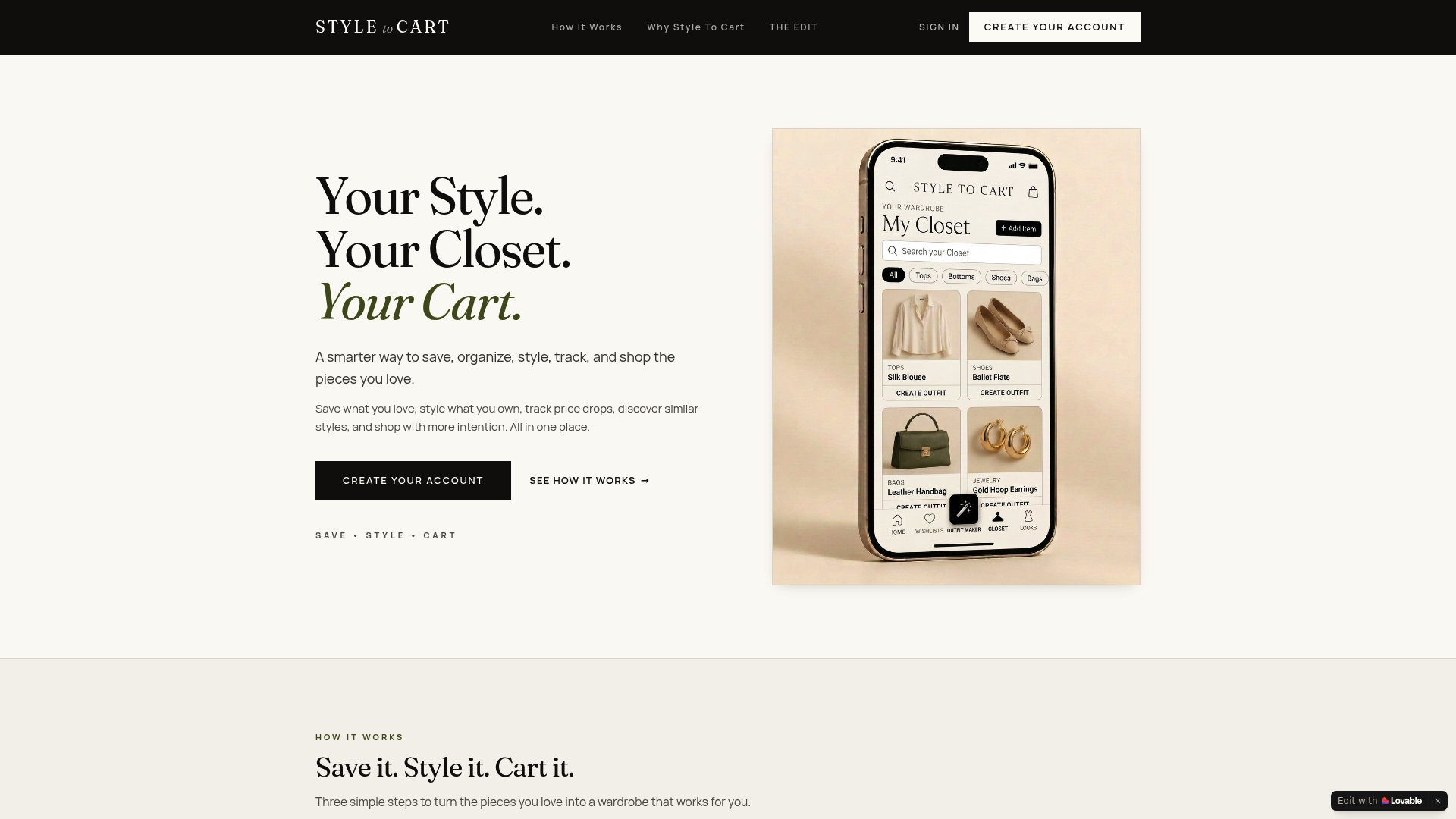
We built Style To Cart to centralize exactly this problem: save items from any store, style them against pieces already in your closet, and track price drops on anything you’ve saved. After an image search gives you a shortlist, save the links into your wishlist and let us watch for price or availability changes instead of rechecking retailer sites yourself.
- Save matches from any store into one wishlist instead of scattered screenshots.
- Style saved finds with pieces you already own before deciding if you need something new.
- Get notified when a saved item’s price drops.
| What you do after a visual search | What we handle |
|---|---|
| Save the product link or screenshot | Centralize it in your wishlist |
| Compare a find against your closet | Suggest outfit pairings with items you own |
| Wait and hope for a sale | Track price drops on saved items |
Start organizing your next find at Style To Cart.
FAQ
Can ChatGPT find clothes from a picture?
A general-purpose chatbot can describe a garment’s style, color, and likely category from a photo, but it isn’t built as a dedicated visual search engine the way Google Lens or a fashion assistant app is. For actual purchasable matches, a tool that connects to a shopping index, like Lens, tends to perform better.
What is the 3-3-3 rule for clothes?
The 3-3-3 rule is a wardrobe-minimalism approach where you pick 3 tops, 3 bottoms, and 3 pairs of shoes to wear for a set period, usually a season, to simplify choices and cut down on excess shopping. It’s unrelated to image search but pairs well with it: once you’ve identified a piece you want, checking it against a small core wardrobe helps you decide if it earns a spot.
What is the best app to scan clothes and find them?
There isn’t one single “best” app since the right tool depends on the photo and your goal: Google Lens is fast for single, clear items, while a fashion assistant app is better for breaking down full outfits or saving candidates for later. Google’s Lens shopping integration is a strong default starting point for most searches.
Can AI find clothes from photos?
Yes, AI-powered visual search tools can identify a garment’s likely category, color, and style from a photo and surface similar or matching products for sale. Results work best as ranked candidates to verify rather than guaranteed exact matches, especially for cluttered or low-resolution photos, as benchmarking research on fashion retrieval shows.
Sources
- Search with an image on Google - Computer - Google Search Help
- How Google AI visual search works — Google blog
- Fine-grained reasoning for composed fashion image retrieval — CVPRF 2026
- LOOKBENCH: benchmark for fashion image retrieval